AI, biometrics, RFID, and identity technologies organized for faster discovery.
Access Tech
Hardware
AI Engine
Vision AI
In the ever-evolving landscape of biometric security, the Windows Biometric Framework (WBF) and hardware have emerged as a formidable duo, redefining the way we authenticate and secure access to our devices and data.
Get In Touch
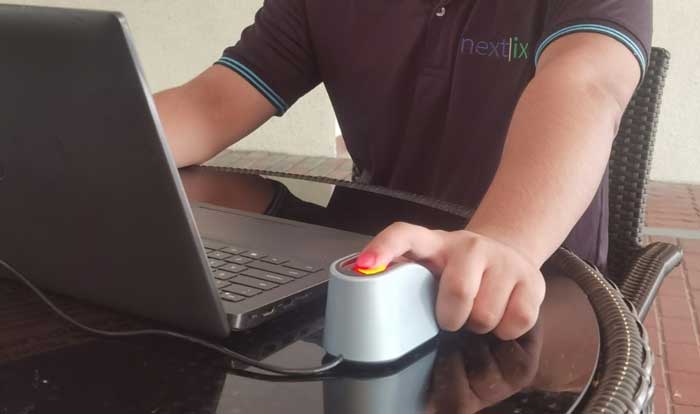
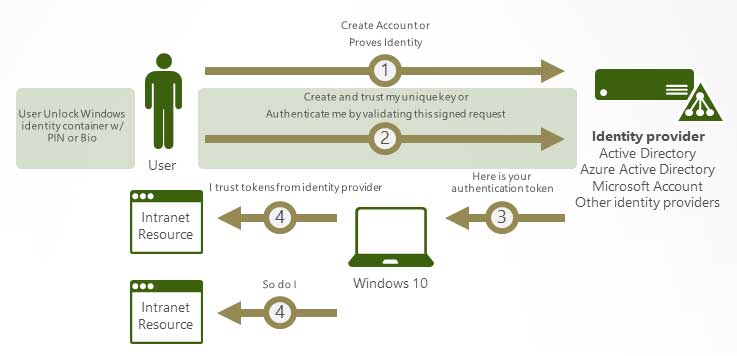
The Windows Biometric Framework (WBF) is a cutting-edge collection of software services and interfaces, meticulously designed to bring biometric security to the forefront of user authentication. It's a game-changer in the world of biometrics. WBF acts as a bridge between the hardware, like fingerprint readers and facial recognition cameras, and the software that enables them to work seamlessly with your operating system.
At the heart of the WBF are the biometric hardware components. These include fingerprint readers, iris scanners, and facial recognition cameras. These devices capture your unique biometric traits, ensuring that only you can access your device, data, and applications. The integration of these advanced hardware components into your computer or device is what makes biometric security a reality.
The importance of the Windows Biometric Framework and its hardware components cannot be overstated for modern security needs.
Biometric hardware provides a level of security that traditional passwords and PINs can't match. Your unique traits are nearly impossible to replicate.
Accessing your device is as simple as a touch or a glance. It's convenient, quick, and user-friendly, eliminating complex passwords.
Applications range from secure payment systems to building access control. Versatility makes it an indispensable part of modern security.
Complete guide for Windows 7 / 8 / 8.1 / 10 setup and configuration.
The applications of WBF and biometric hardware are diverse and expanding across various industries and scenarios.
Unlock your device, whether it's a smartphone, tablet, or laptop, with your fingerprint or face recognition.
Use biometrics for secure logins to websites and online services, eliminating the need for traditional passwords.
Authenticate payments with a simple touch, making online shopping safer and more efficient for everyone.
Biometric hardware is increasingly used for physical access to buildings, offices, and restricted corporate areas.
In the healthcare industry, biometrics ensure secure and rapid access to patient records and sensitive medical data.
Fingerprint and facial recognition are vital tools for government agencies, border control, and law enforcement.
The Windows Biometric Framework and hardware represent the future of security and authentication. Say goodbye to the hassle of passwords and welcome a new era of convenience and safety.
Whether you're protecting your personal device, your business, or sensitive data, WBF and biometric hardware are your trusted allies in the ongoing battle against security threats.
Find answers to common questions about WBF and Biometric Hardware.
The Windows Biometric Framework (WBF) is a collection of software services and interfaces designed to bridge biometric hardware (like fingerprint readers and facial recognition cameras) with the Windows operating system for secure user authentication.
It provides a level of security that passwords can't match. Since your fingerprints or facial features are unique and nearly impossible to replicate, biometric hardware offers robust protection against unauthorized device access.
WBF supports various biometric hardware components, including fingerprint readers, iris scanners, and facial recognition cameras, allowing for multiple layers of secure authentication.
Yes, WBF and biometric hardware are used for online authentication to websites, secure payment systems, healthcare record access, and physical access control to buildings and restricted areas.
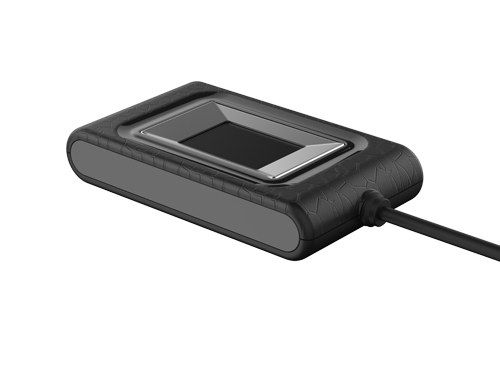
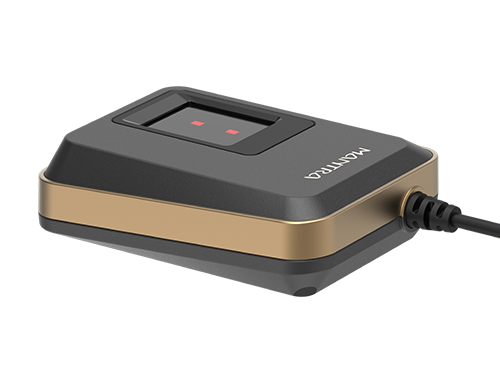
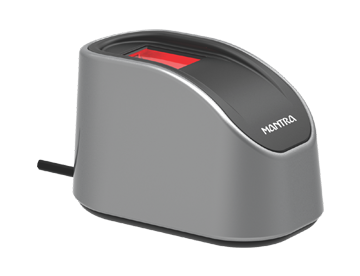
Mantra's MARC10 (Capacitive), MELO31 (Optical FAP30), and MFS500 (Biometric FAP10) are among the supported scanners that work seamlessly with the Windows Biometric Framework.
Absolutely. We provide a downloadable PDF guide that walks you through the step-by-step process of setting up fingerprint login on Windows 7, 8, 8.1, and 10.
Feel free to give us a call with any questions we are waiting to hear from you. For Your bulk requirement just ask for quote.